 Cabby OS
 Quoting and estimating
Quote it right. Know your margin before you send.
Scope the rooms from your own product library, price materials and labour from your own rates, and send a quote your customer can accept online.

Scope the job from your own product library
Rooms are built from the products you actually make, so the quote starts from real cabinets, not a blank spreadsheet.
Parametric products
Change a size and the boards, hardware, edging and labour minutes follow.
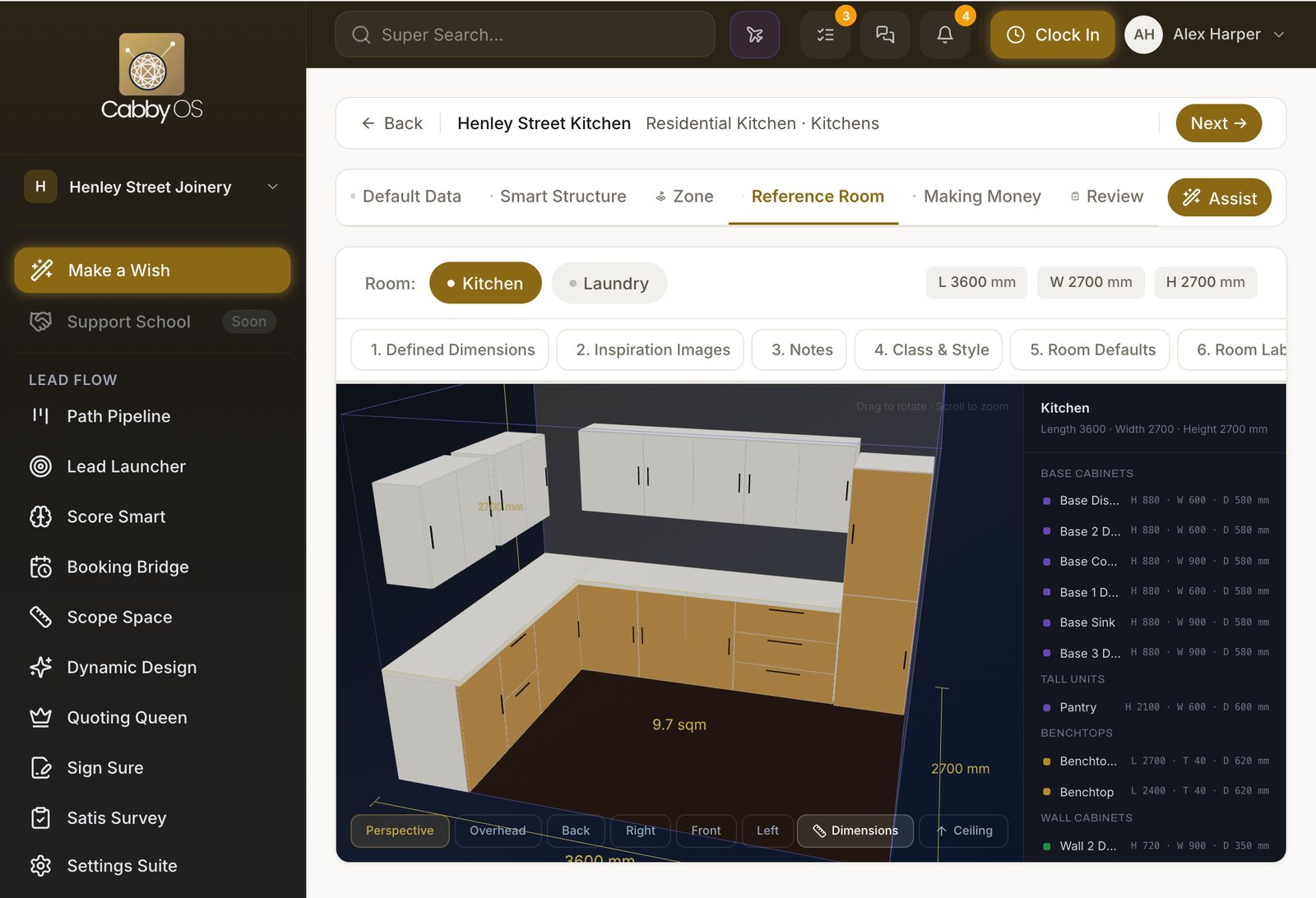
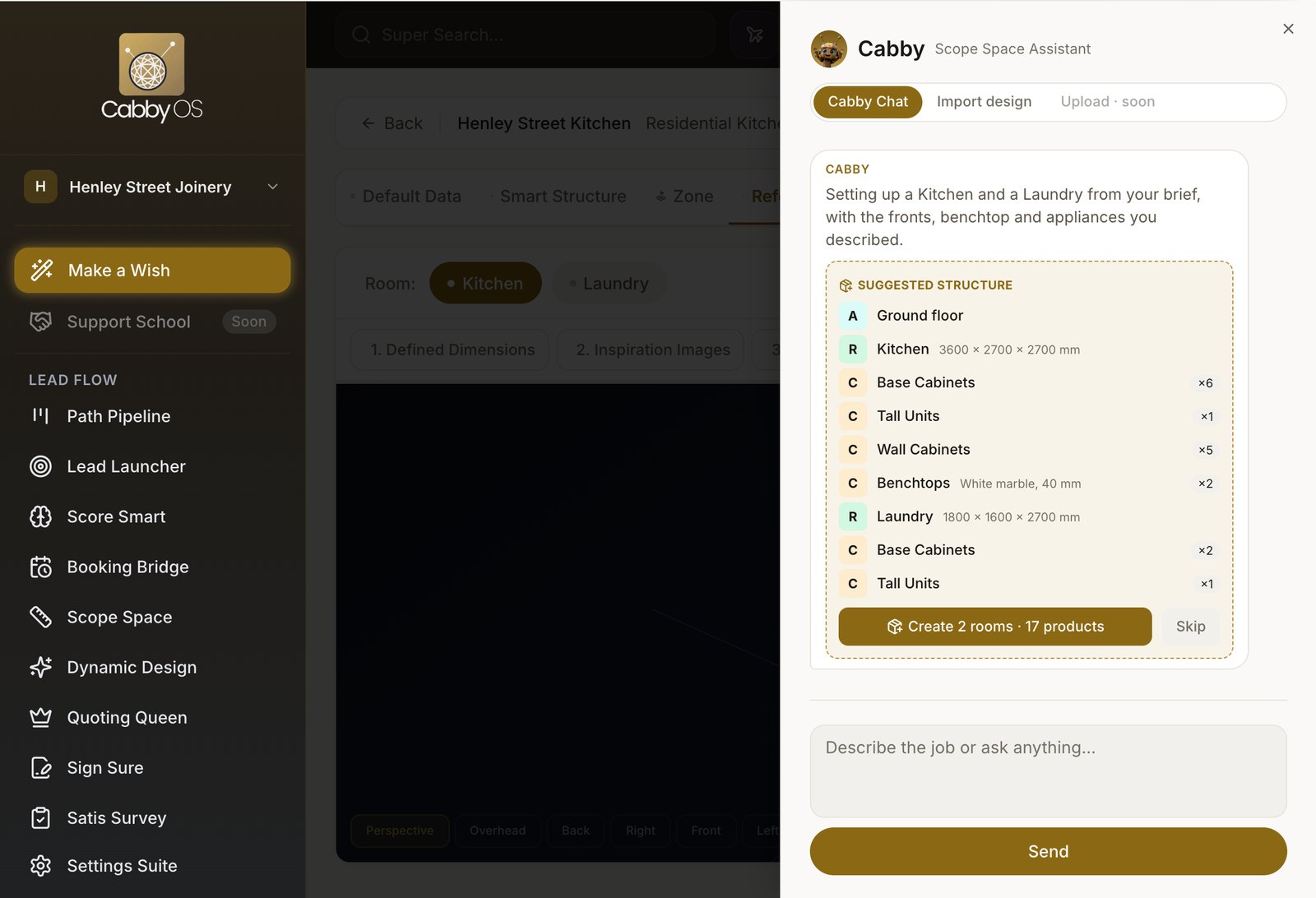
Describe it and Cabby drafts it
Type or dictate the job. Cabby proposes rooms and products from your library for you to accept.
Bring in a Cabinet Vision design
Upload an .ord or .ordx file and review the match room by room.


Labour priced the way your shop works
Every product carries its own labour operations, so the hours in the quote come from how your shop works, not from a guess.
Standard minutes for each operation
Cutting, edging, assembly and install are timed per product and scale with its size.
Your own pace
Set a pace for each operation to match how fast your shop really works.
Your labour rates
Cost and charge rates are yours, so labour is priced the way you price it.
- Cutting14 min
- Edging9 min
- Drawer assembly26 min
- Install18 min
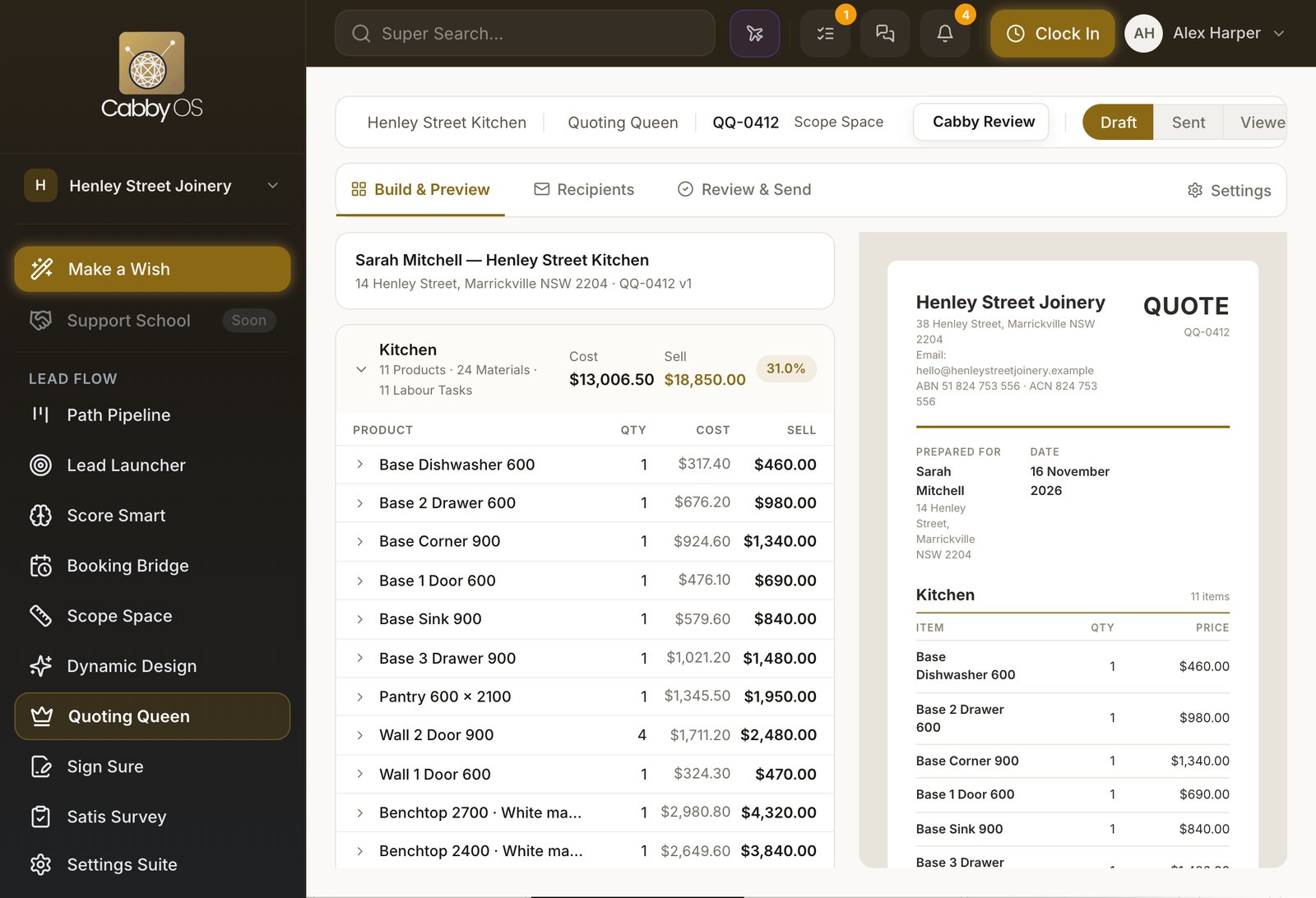
See cost, sell price and margin before the customer does
Materials come from your price list and markups follow your rules, so you see the estimated margin before the customer sees the price.
Priced from your price list
Boards, hardware and edging are costed from the materials you buy.
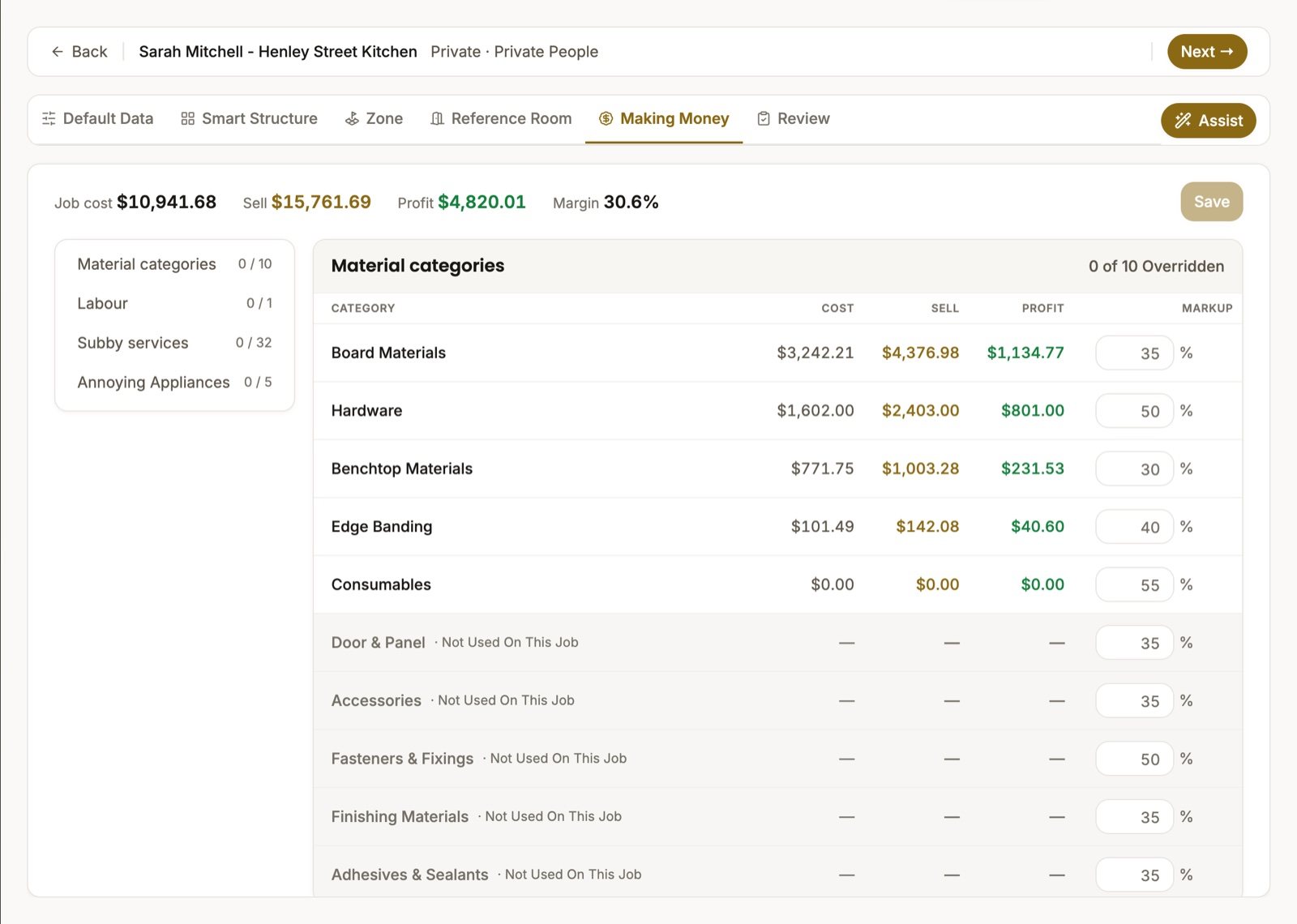
Markups in a clear order
A fixed sell price first, then the job's own markup, then your defaults.
A check before you send
Ask Cabby to check the quote, and it flags zero-cost lines, missing quantities and unusual markups.
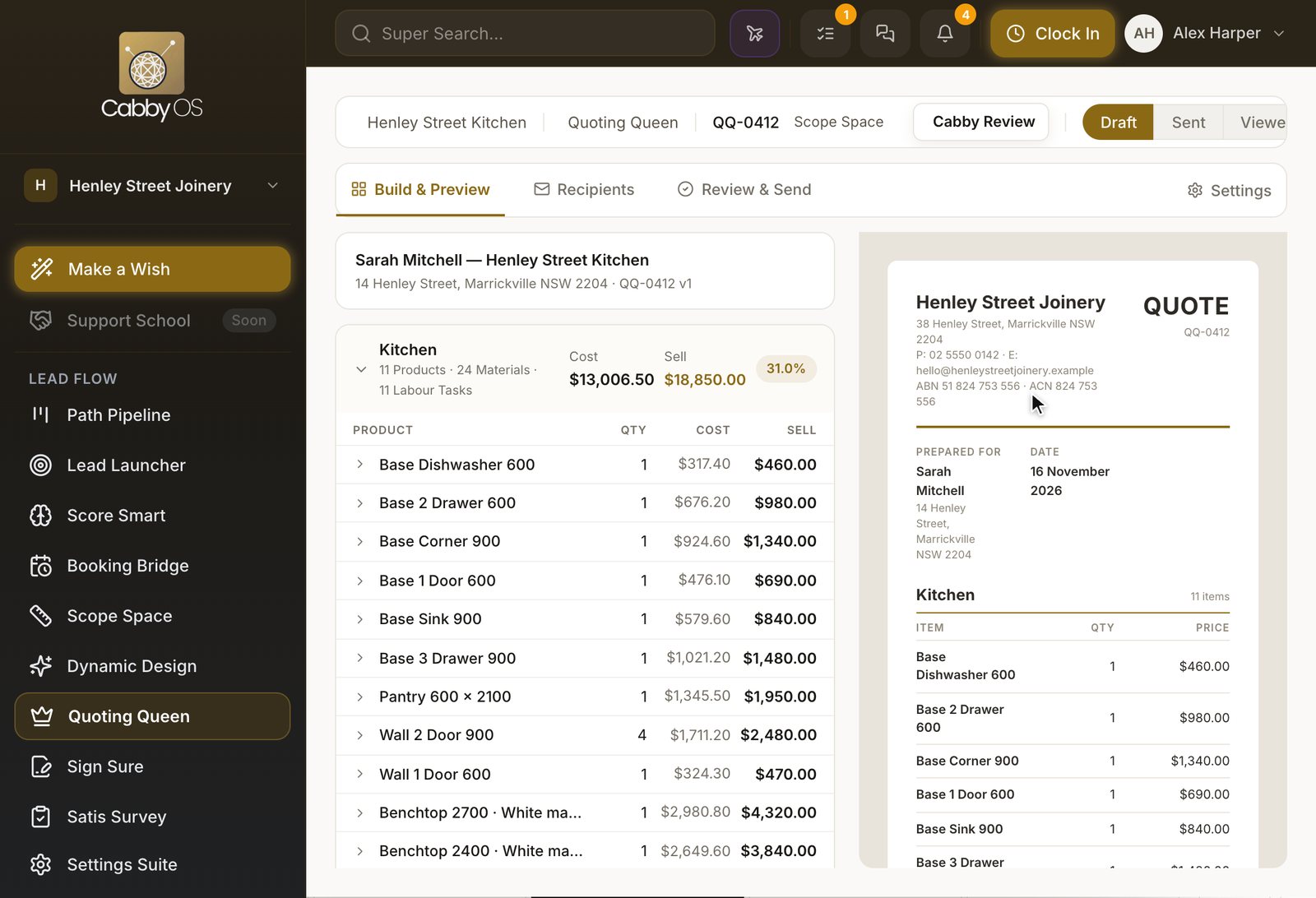


Send it, and let the customer say yes online
The quote goes out in your layout. The customer answers on the page and your team is told straight away.
Your layout, as a PDF and a web page
Numbered and versioned, so everyone is looking at the same quote.
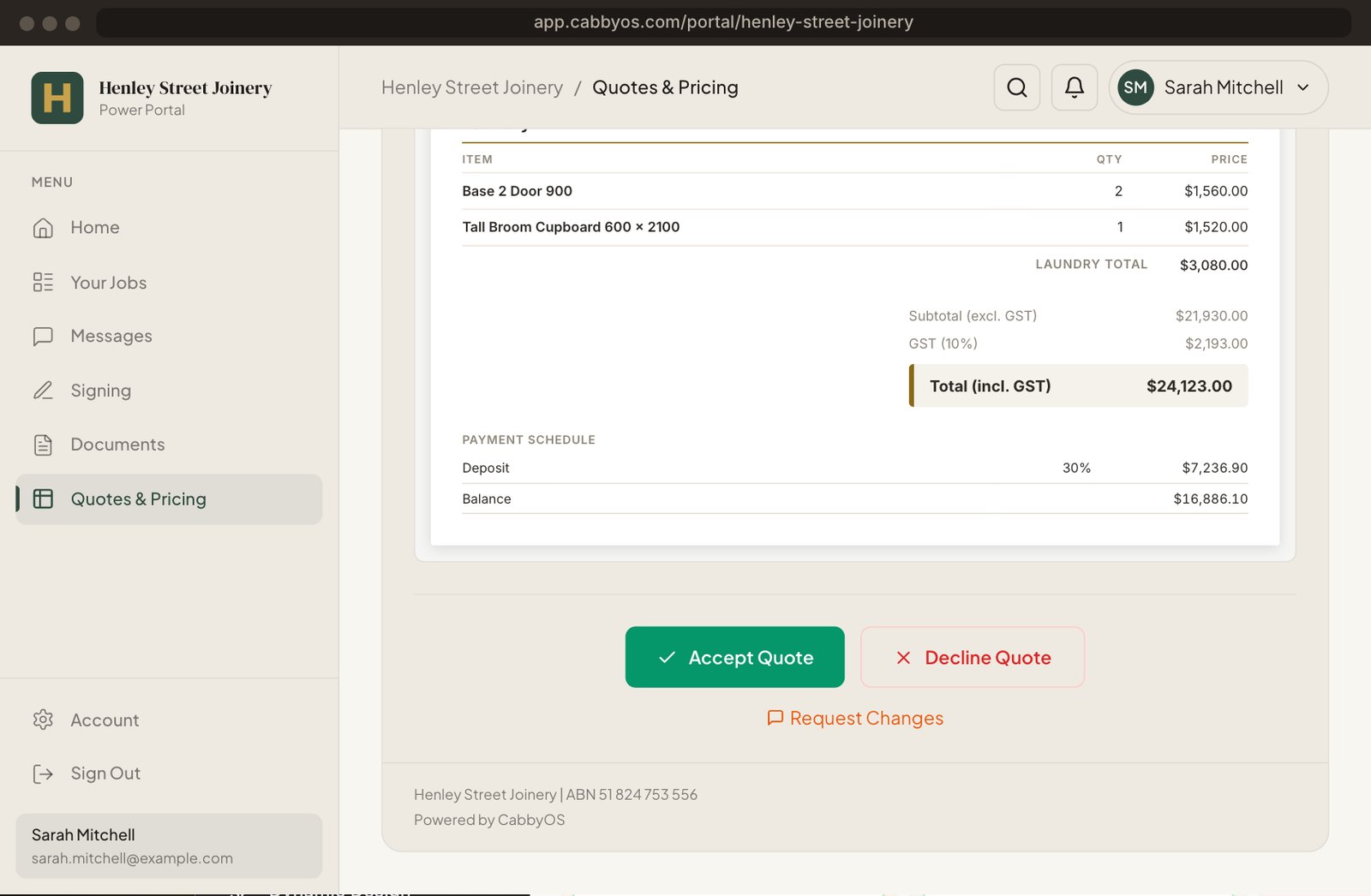
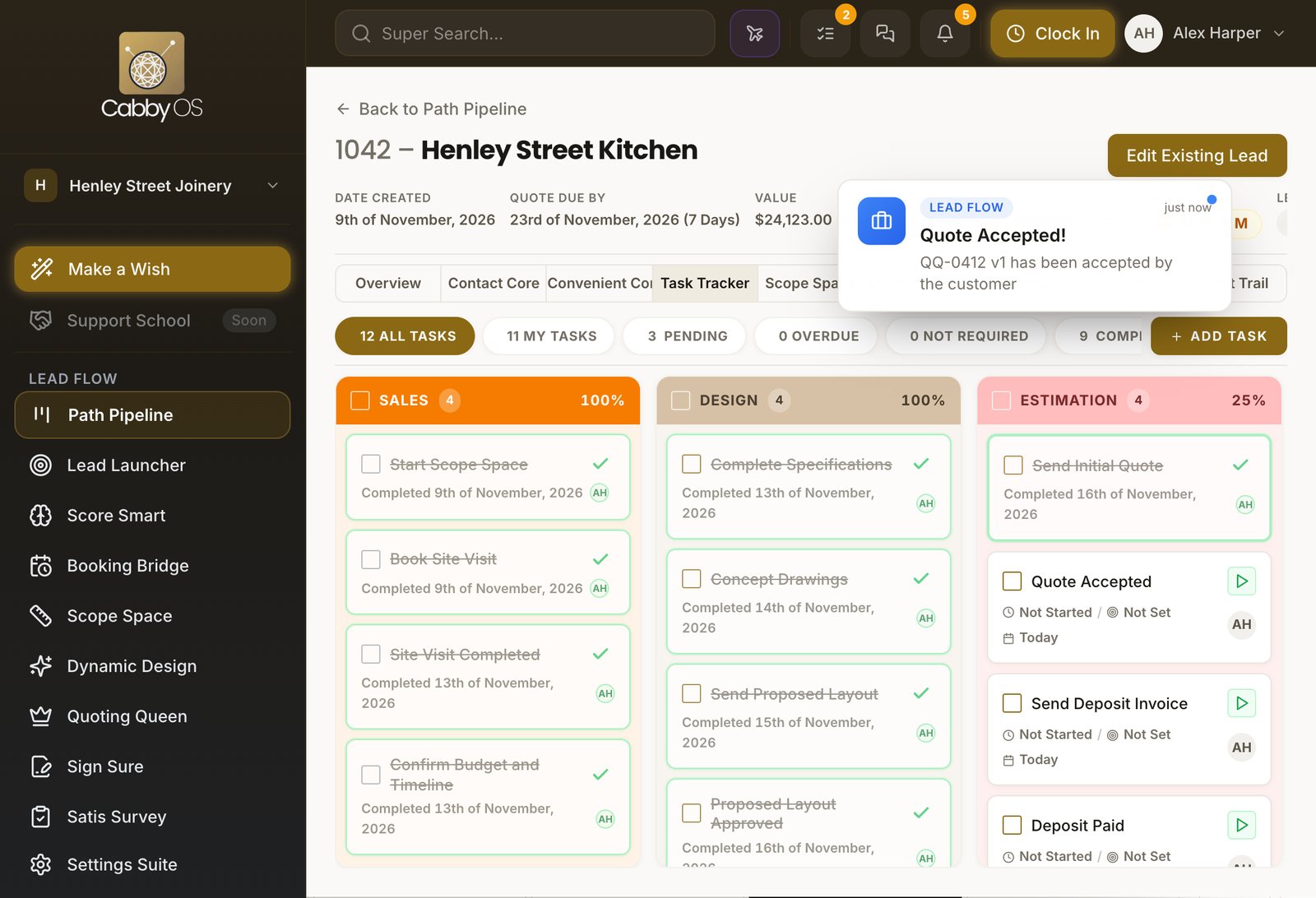
Accept, decline or ask for changes
The customer answers online, and the answer is recorded on the lead.
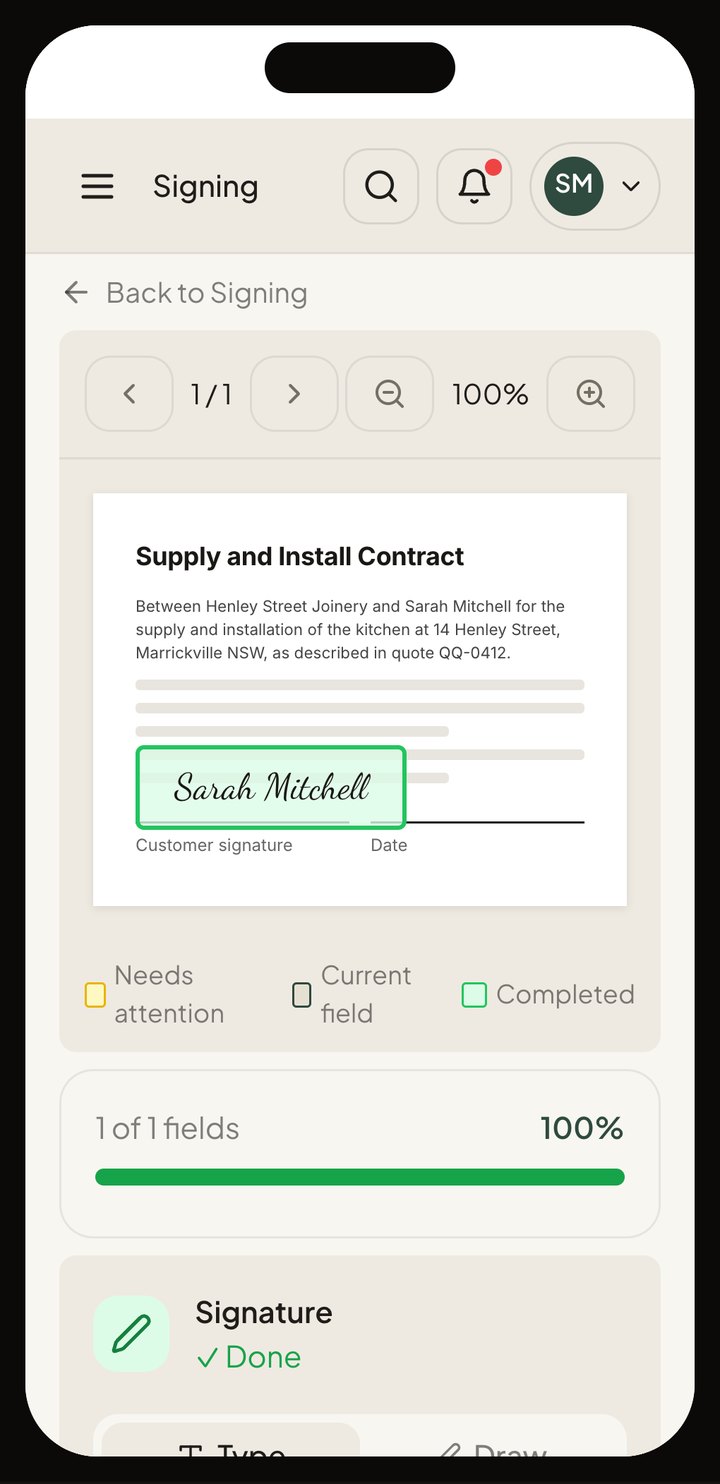
Contracts signed in Cabby
Send the contract for signature with automatic reminders. No separate signing software.


What's included
Everything you need to quote, in the one system
Scope Space
Rooms, products and materials for the job, in 3D.

Product library
Your own parametric products, with their materials and labour.

Labour times
Operations, standard minutes and your shop's pace.

Quote layouts
Your own quote documents, as a PDF and a web page.

Document signing
Contracts sent, signed and filed on the job.

Online acceptance
The customer accepts the quote in their own login.


