 Cabby OS
 Enquiries and pipeline
Win the work without the chasing.
Website enquiries arrive scored, visits are booked online into your calendar, and matching email is filed on its lead.

Website enquiries scored as they land
Your website form feeds straight into Cabby, so the best leads are in front of your team first.
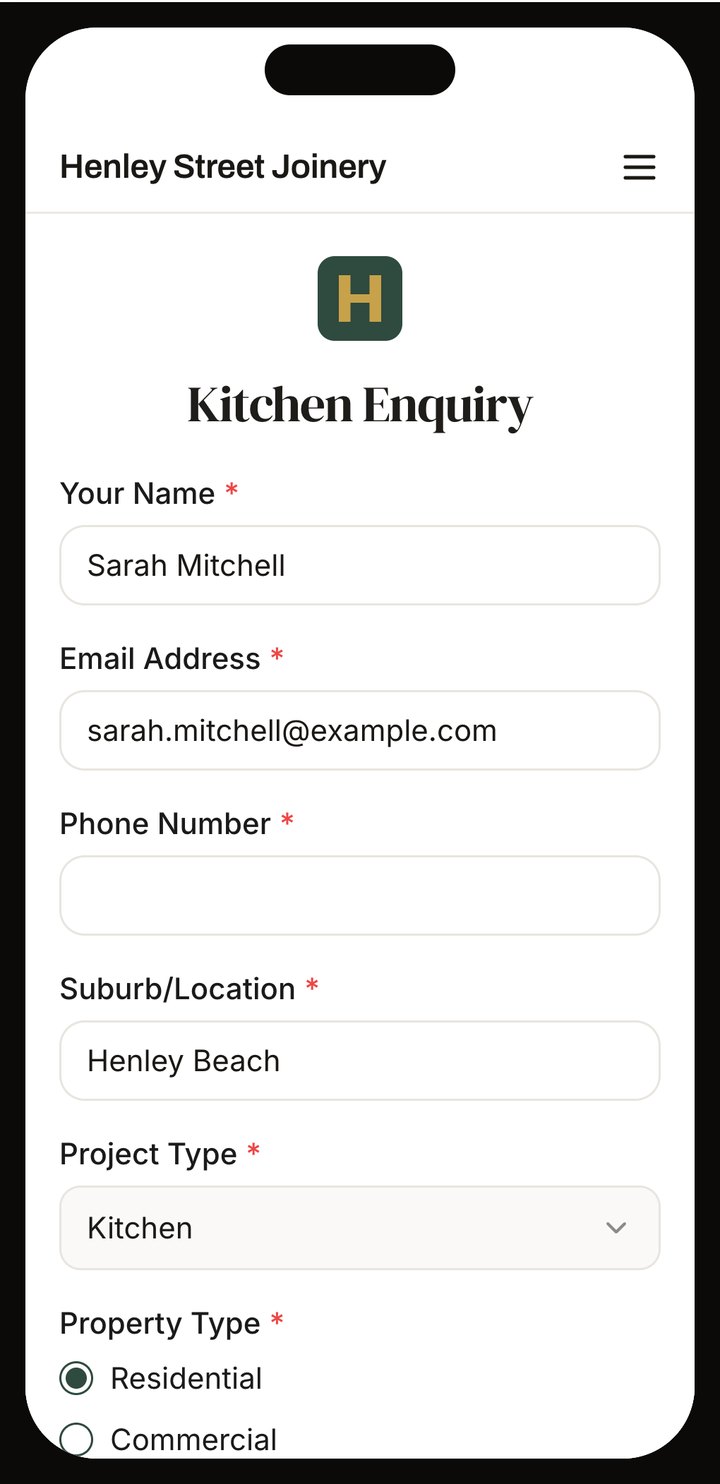
Forms on your own website
Build the form with your own questions and embed it on any site.
A score, with the reasons
Tell Cabby who your ideal customer is, and each website enquiry is scored against it, with the reasons.
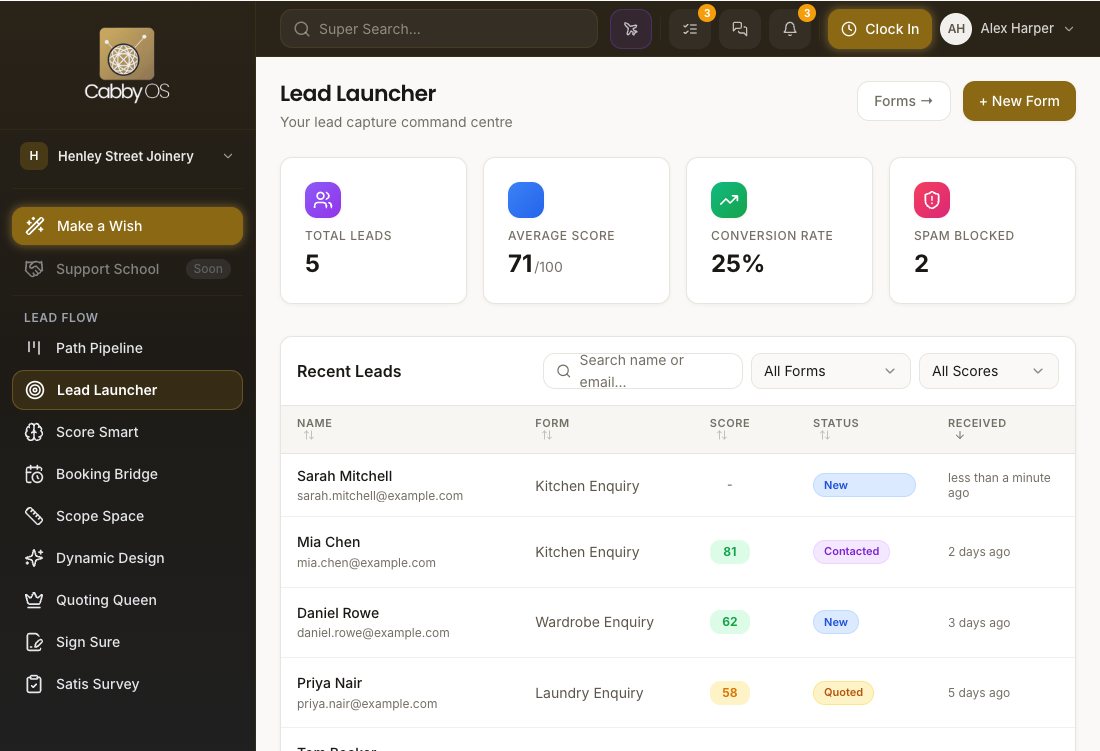
The lead is already made
The contact, the lead and its first tasks are created for you. Spam and likely duplicates are caught first.


Site measures booked without the phone tag
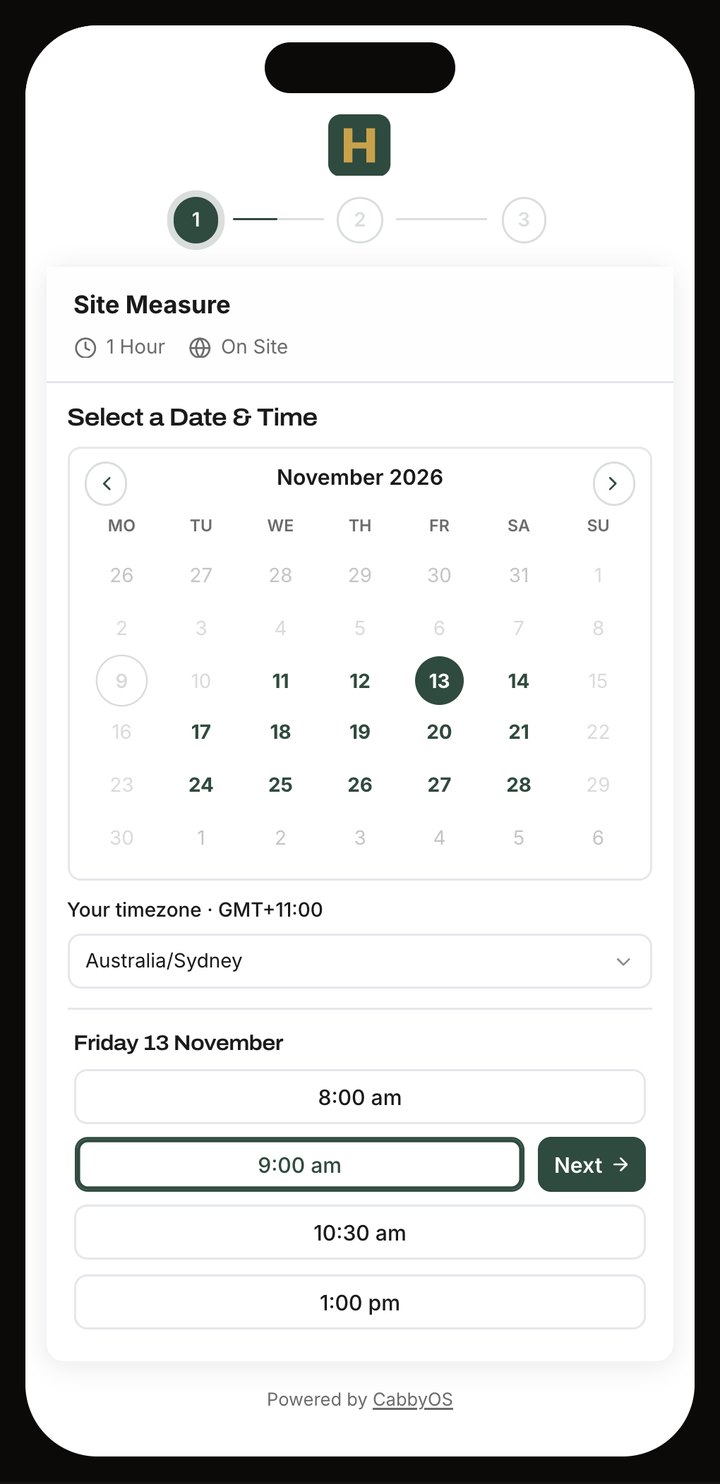
Send a link. The customer picks a time that suits you both.
Only the times you are free
The booking page reads your calendar and offers what is open.
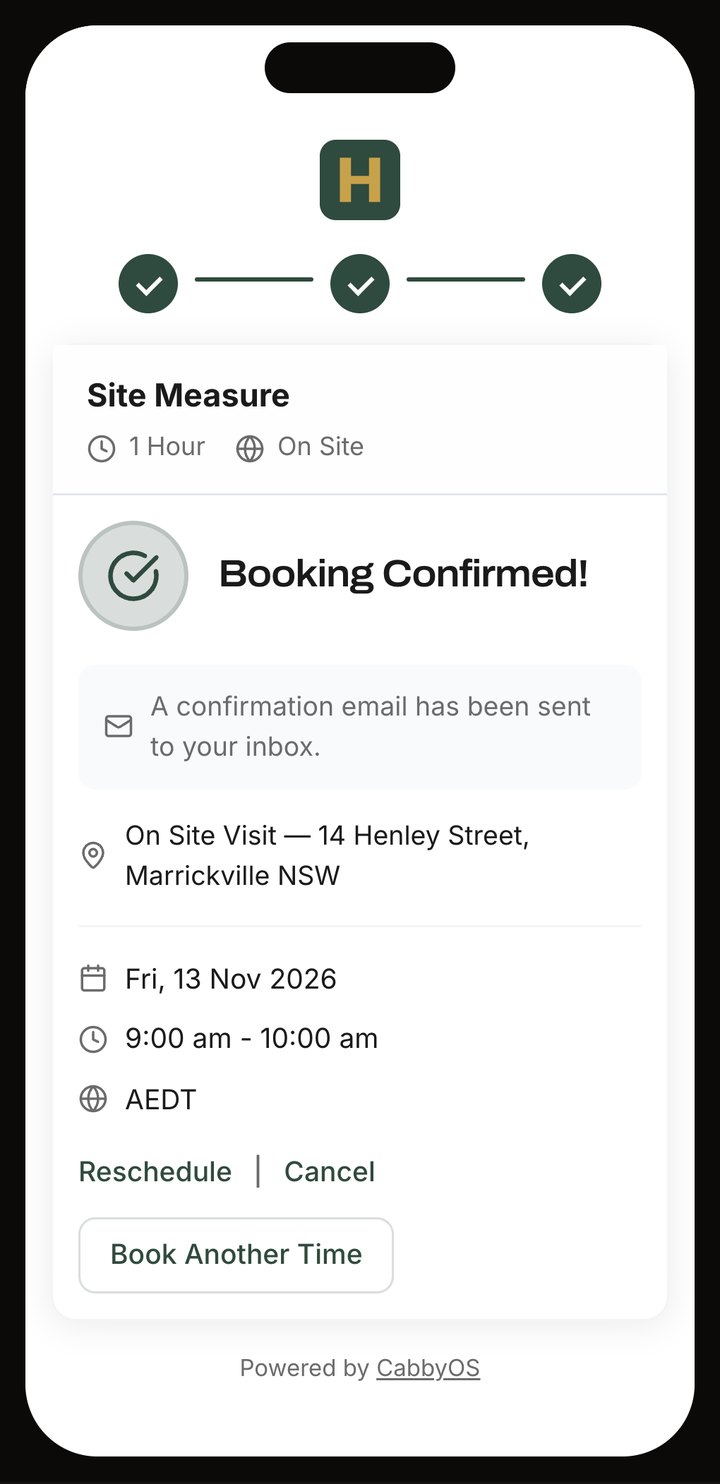
On the calendar and on the lead
The event, the contact and the lead are created, with confirmation and reminder emails.
Works with your calendar
Microsoft 365 or Google Calendar, kept in step both ways.



Email filed on the lead or job
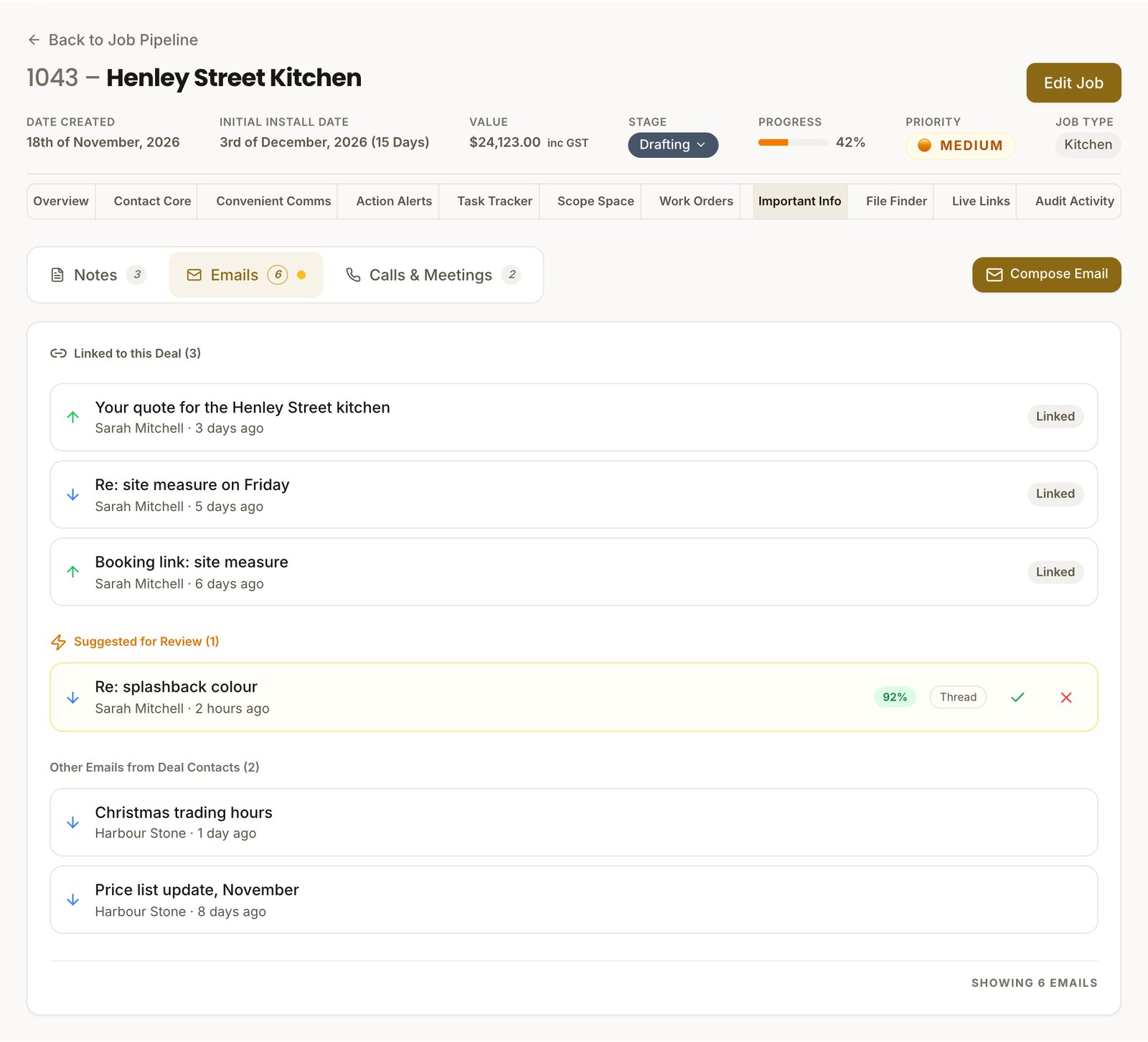
Connect your mailbox once. Cabby links matching email to its lead or job, and asks you about any it is unsure of.
Outlook and Gmail
Incoming mail is linked for both. With Outlook, the mail you send is linked too.
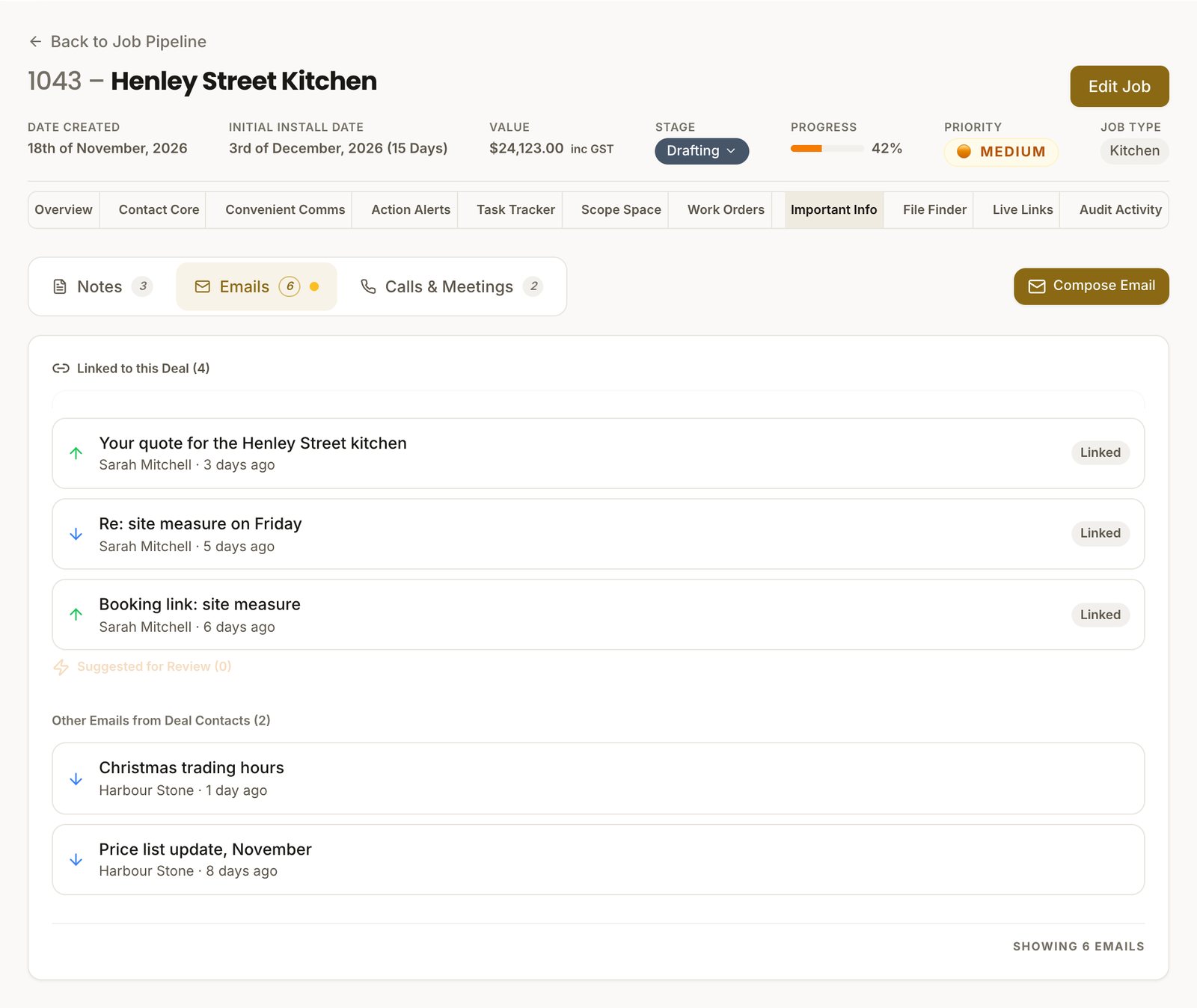
Replies drafted for you
With Outlook, Cabby writes a reply in your own style into your Drafts folder. You check it and send.
Unsure? It asks
When a match is not certain, Cabby suggests it and you confirm.


Know where every lead stands
No lead depends on someone remembering to follow it up.
Tasks set themselves out
Each stage of your pipeline brings its own tasks from your templates.
Ask Cabby
Get a summary of any lead from its tasks, emails and notes, and ask it questions.
Your own qualifying questions
Scorecards with your questions and tiers, filled in on the call or at the measure.
Henley Street Kitchen is in Drafting at 42%. The quote is accepted and the deposit paid; the concept drawings wait on the sink model, and the stone templating is booked for next Thursday.
Confirm the sink model with Sarah: Concept Drawings is waiting on it. The stone templating is booked for next Thursday, and the four purchase orders are drafted and ready to send once the drawings are approved.
What's included
Everything you need to win the work

Enquiry forms and scoring
Your forms, scored against your ideal customer.

Booking pages
Customers book a visit in your free time.

Email on the lead
Outlook and Gmail filed where they belong.

Pipeline and tasks
Your stages, each with its own task list.

Ask Cabby
A summary of any lead, and answers about it.

Contacts
Customers, builders and suppliers in one place.


